Set your Availability
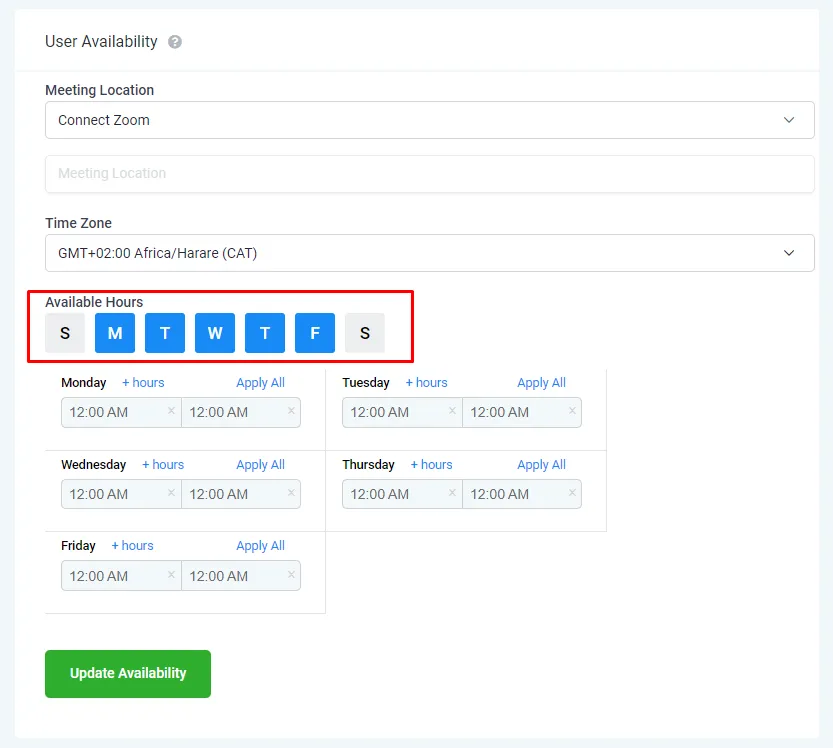
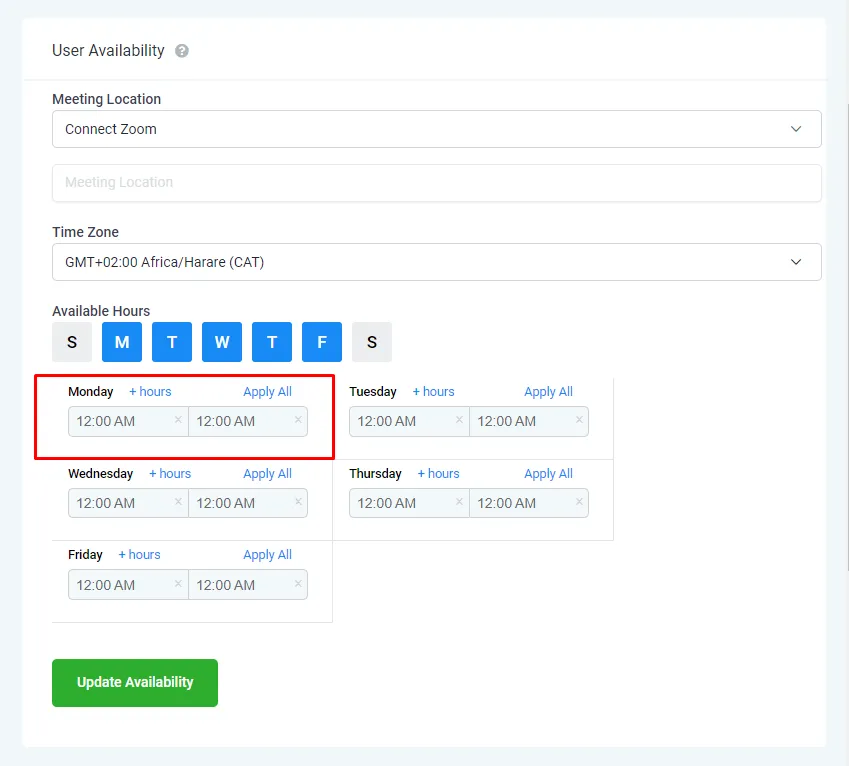
The "User Availability" feature enables you to select the days and times you are available for appointments. When clients try to book a meeting with you through the appointment system or the calendar you created for booking appointments, it will first check your availability in this section before showing available times to the client. This added check helps to ensure that appointments are not scheduled during times you are unavailable.
In addition, the "User Availability" feature also allows you to set your preferred default meeting location, which can be a link, a Zoom meeting, or a Google Meet meeting.
About
Last Updated : 8 February 2023
Available : All Packages
Step 1: Go to Settings and Profile.
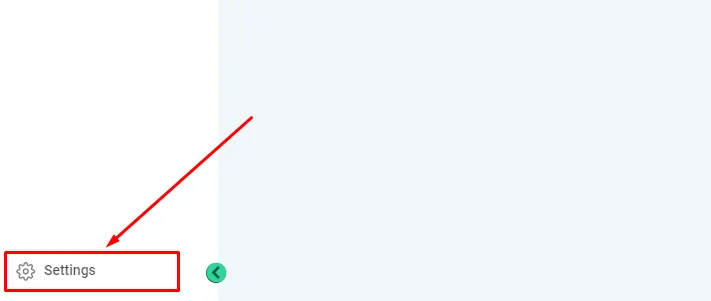
1. Settings
To change your password, navigate to the "Settings" section, located at the bottom left corner within Pocket-Business.
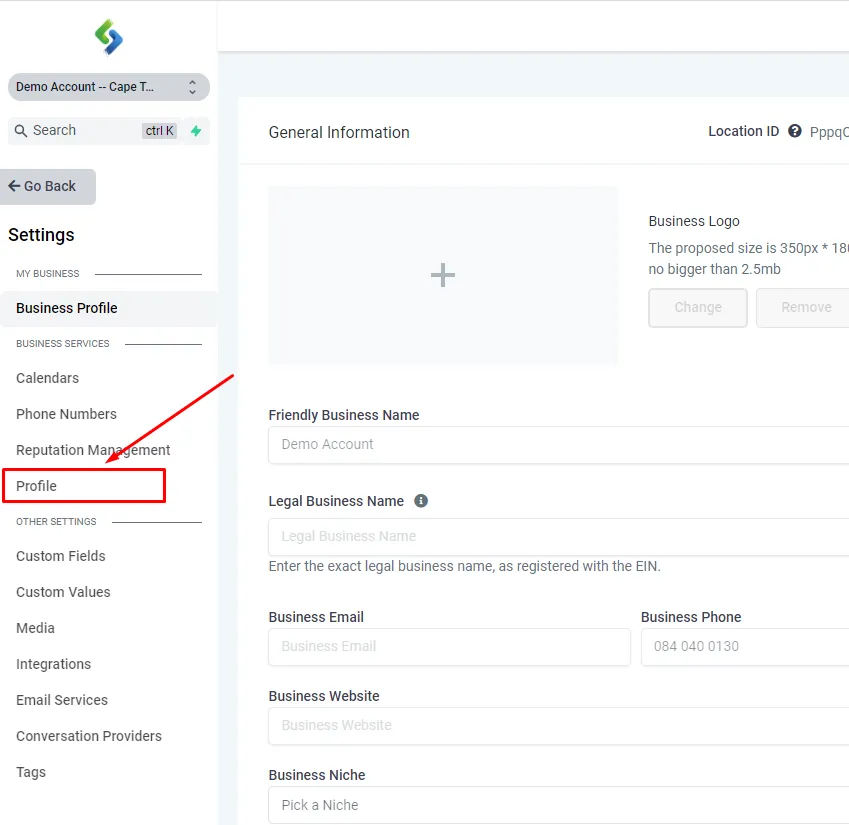
2. Profile
Under the "Settings" section, find the "Profile" option in the left menu. Please note that the appearance of the menu may vary depending on your package with us.
3. Locate "User Availability"
..

Step 2: Set up the Meeting Location.
1. Set the Days
..
2. Set the Times
..
3. Locate "User Availability"
..
Step 2: Set Your Availability.
1. Set the Days
..
2. Set the Times
..
3. Locate "User Availability"
..